


Page 31 - D850_broschuere
P. 31
| LANDSCAPE  | LANDSCAPE


        Huge time savings in post-production —
        In-camera RAW batch processing

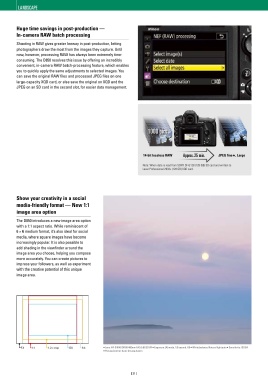
        Shooting in RAW gives greater leeway in post-production, letting
        photographers draw the most from the images they capture. Until
        now, however, processing RAW has always been extremely time-
        consuming. The D850 resolves this issue by offering an incredibly
        convenient, in-camera RAW batch-processing feature, which enables
        you to quickly apply the same adjustments to selected images. You
        can save the original RAW files and processed JPEG files on one
        large-capacity XQD card, or else save the original on XQD and the
        JPEG on an SD card in the second slot, for easier data management.


                                                                   1000 pics


                                                                 14-bit lossless RAW  Approx. 25 min.  JPEG fineH, Large

                                                                Note: When data is read from SONY SF-G128 (128 GB) SD card and written to
                                                                Lexar Professional 2933× (128 GB) XQD card.


    © Luke Austin

 Bring everything in focus for focus stacking — Focus shift photography   Show your creativity in a social
        media-friendly format — New 1:1
 When shooting a landscape containing various subjects at different focus distances or creating specimen pictures of insects and flowers,
 photographers may want to bring everything into sharp focus. The D850 introduces a focus shift photography function, which enables it to shoot   image area option
 sequences of up to 300 frames, while gradually and automatically shifting focus position from the start point to infinity. The shutter release   The D850 introduces a new image area option
 interval can be set from 0-30 s, while the focus step width can be selected from 10 levels. Continuous shooting at approx. 5 fps is also available.   with a 1:1 aspect ratio. While reminiscent of
 Combining the pictures using focus stacking in post-production* gives you an image where every detail is in brilliantly sharp focus.   6 × 6 medium format, it’s also ideal for social
 * Requires third-party editing software.  media, where square images have become
        increasingly popular. It is also possible to
        add shading in the viewfinder around the
        image area you choose, helping you compose
 Focus shift photography steps  more accurately. You can create pictures to
        impress your followers, as well as experiment
        with the creative potential of this unique
 Focus plane
        image area.


 9  8  7  6  5  4  3  2  1  No. of shots

 Set the number of shots (nine in the example illustration above),
 focus step width (the amount of shifted focus distance with
 each shot) and interval between shots.
 Note: Exposure smoothing and silent photography options are available.
          FX   1:1    1.2× crop  DX  5:4       • Lens: AF-S NIKKOR 80-400mm f/4.5-5.6G ED VR • Exposure: [A] mode, 1/6 second, f/8 • White balance: Natural light auto • Sensitivity: ISO 64
                                               • Picture Control: Auto  © Luke Austin
 No. of shots (1-300)  Focus step width (1-10)  Interval until next shot (00”-30”)


 [ 30 ]                                                    [ 31 ]

